Leave Your Message

10 Tips for Choosing the Best Moes Smart Switch?

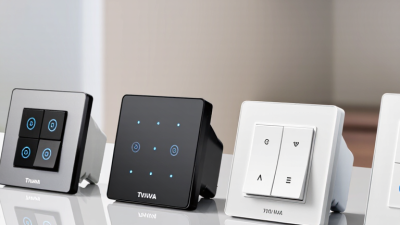
Choosing the right Moes Smart Switch is not simply a matter of matching colors or counting features. It begins with your walls, wiring, appliances, and daily routines. A beautiful switch can still disappoint if it requires a neutral wire you do not have.

Moes smart-home product specialist Ethan Liu explains, “A smart switch should fit the home before it adds intelligence.” That practical view matters. Before buying, check electrical compatibility, load capacity, connection type, and installation requirements. Confirm whether the model supports Wi-Fi, Zigbee, or another protocol. Your existing hub may decide more than the product description does.

Small details matter.

Look at app stability, voice-assistant support, automation options, and privacy controls. Examine independent reviews, not only polished product pages. A switch that responds quickly at noon may behave differently behind thick walls at night. Check the button feel, indicator brightness, and whether the relay makes an audible click. These details become noticeable after hundreds of daily uses.

Safety certification and professional installation deserve careful attention. Turn off power before any wiring work, and ask a qualified electrician when the circuit seems unclear. Ten buying tips can reduce mistakes, but they cannot replace local expertise. I have found that “future-proof” is often an imperfect promise. Standards change, apps update, and cloud services may evolve. Choose a Moes Smart Switch with clear specifications, dependable support, and functions you will genuinely use. The best choice is rarely the most complicated one. It is the switch that works quietly, safely, and consistently in your actual home.
10 Tips for Choosing the Best Moes Smart Switch?

Define Your Smart Switch Requirements and Home Automation Goals

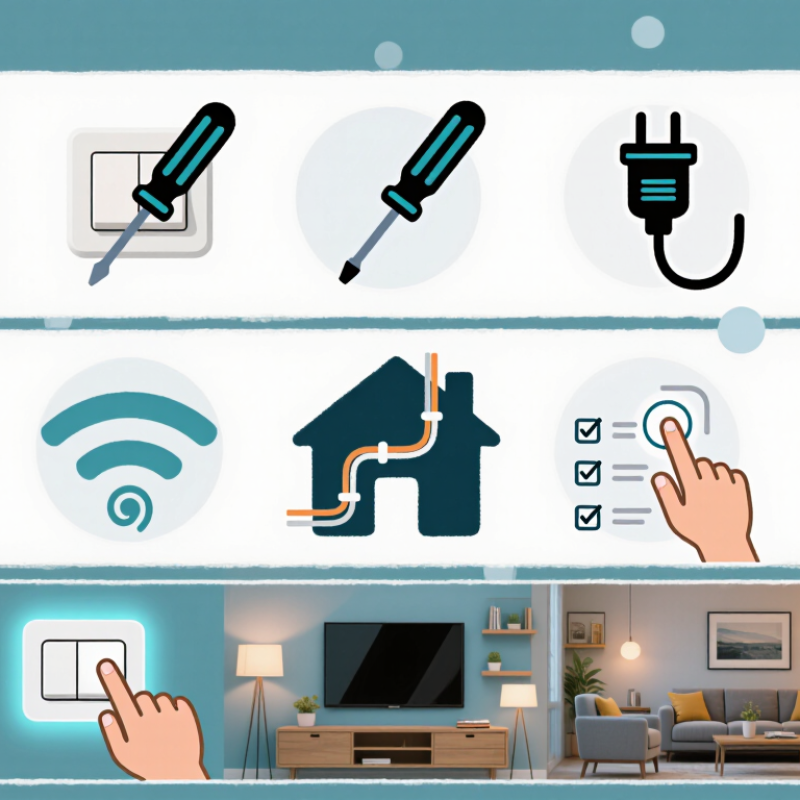
Before choosing a smart switch, define what you want it to accomplish. Do you need simple remote control, scheduled lighting, energy monitoring, or motion-based automation? Write down the rooms, light types, and daily routines. A hallway switch may need motion sensing, while a bedroom switch may need quiet, gradual dimming. Keep it practical.

Check your home’s wiring before buying anything. Many switches require a neutral wire, but older homes may not have one. Confirm the circuit’s voltage, load rating, and compatibility with LED bulbs. I once underestimated a low-wattage LED load, and the light flickered during dimming. That mistake showed me why technical specifications matter more than attractive features.

Plan for real household behavior. Can children use the switch manually? Will guests understand it without an app? Decide whether automations should continue during internet outages. Local control is often more reliable for essential lighting. Also review data permissions, firmware support, and installation instructions from credible technical sources. If wiring seems uncertain, consult a qualified electrician. Smart control should improve a room, not create a hidden maintenance problem. My own plans have changed after testing routines at night; some impressive automations were simply annoying.
Check Wiring, Voltage, Neutral Wire, and Electrical Compatibility

Choosing a smart switch starts with the wall box, not the app. Check the existing wiring carefully. A neutral wire is often required, but older homes may omit it. Never assume the white wire is neutral without testing. The U.S. National Fire Protection Association reports that electrical distribution and lighting equipment caused about 32,000 home structure fires annually from 2016 to 2020. Safety deserves priority.

Tips 1–4: Confirm line, load, neutral, and ground conductors. Check the circuit voltage with a reliable meter. Match the switch rating with the lamp’s wattage and load type. Inspect the box depth before purchasing. A crowded box can damage terminals or loosen connections. Turn off the breaker, then verify power is absent. Check twice.

Tips 5–10: Confirm compatibility with LED, dimmable, motor, or resistive loads. Avoid installing a switch on circuits exceeding its rated current. Check whether a neutral connection is mandatory. Read the installation diagram, not only the product label. Follow local electrical codes and use a qualified electrician when wiring is uncertain. Test the switch manually before connecting it to a home network. In practice, neat wiring is not always safe wiring; hidden corrosion, reversed conductors, or an overloaded circuit can remain unnoticed. I would not trust color alone. A proper voltage test and careful inspection offer stronger evidence than appearance.

10 Tips for Choosing the Best Moes Smart Switch? - Check Wiring, Voltage, Neutral Wire, and Electrical Compatibility
Tip What to Check Typical Requirement or Fact Why It Matters Recommended Action
1 Supply voltage Many residential smart switches are designed for a nominal 100–240 V AC supply, but the exact operating range depends on the product specification. Connecting a switch to an incompatible voltage can cause malfunction, overheating, or permanent damage. Read the voltage rating on the product label and compare it with the measured voltage in the wall box.
2 Neutral wire availability A neutral-wire model normally requires line, neutral, and load connections. No-neutral models use a different circuit design and may require a bypass or minimum-load condition. The wrong switch type may fail to power on, flicker, or cause LED lamps to glow when switched off. Turn off the breaker and identify the conductors before purchasing. Do not assume a white wire is neutral without testing.
3 Wiring configuration Single-pole, two-way, three-way, and multi-way circuits use different wiring arrangements. Some smart switches support only specific configurations. A switch designed for a single-pole circuit may not work correctly in a multi-way installation. Confirm the number of control locations and select a model that explicitly supports the existing circuit type.
4 Load type Common loads include LED, incandescent, halogen, fluorescent, fan, and motor loads. A lighting switch is not automatically suitable for motors or fans. Different loads have different starting currents and electrical characteristics that affect relay life and safety. Check whether the switch is rated for lighting only or also for fans, motors, and other inductive loads.
5 Maximum load and current Switch ratings are usually stated in amperes and may differ by load type. LED ratings are often lower than resistive-load ratings. Exceeding the rated current can produce excessive heat, contact damage, or a fire hazard. Calculate the total connected load and keep it below the lowest applicable rating shown in the instructions.
6 Electrical frequency Residential AC systems commonly operate at 50 Hz or 60 Hz, depending on the country and local grid. Some electronic components and switching circuits are designed for a specific frequency range. Verify that the switch supports the local frequency as well as the local voltage.
7 Wall-box space and terminal capacity Smart switches are often deeper than standard mechanical switches and may need additional room for wires and connectors. Overcrowding can place stress on terminals, damage insulation, and make the faceplate difficult to install. Measure the electrical box depth and allow enough space for the switch, conductors, and approved wire connectors.
8 Grounding and protective devices The installation should comply with local electrical codes and use appropriate grounding, overcurrent protection, and circuit protection. Proper grounding and protection reduce the risk of electric shock, short circuits, and equipment damage. Never bypass grounding or remove protective devices to make a switch fit. Consult a licensed electrician when wiring is uncertain.
9 LED compatibility and minimum load Some smart switches require a minimum load or an accessory for low-wattage LED lamps. Lamp compatibility can vary by manufacturer and circuit design. Insufficient load may cause flickering, buzzing, delayed switching, or residual light. Review the supported LED wattage range and use a compatible bypass only when the product instructions permit it.
10 Local electrical standards and installation safety Wire colors, terminal markings, box requirements, and permitted installation methods vary by country and region. Following local requirements is essential for safe operation, inspection, and insurance compliance. Switch off the circuit breaker, verify that the circuit is de-energized with a suitable tester, and hire a qualified electrician if any conductor or connection is unclear.

Compare Communication Protocols, Hubs, and Ecosystem Support

10 Tips for Choosing the Best Smart Switch

Tip 1: Identify the communication protocol before buying. Wi-Fi switches connect directly to your router, while Zigbee and Thread models often need a hub. Tip 2: Check your network strength. A switch near a weak signal may respond slowly or disconnect. Tip 3: Consider Bluetooth only for short-range control. It can be useful, but remote access may require extra equipment. Tip 4: Read the hub requirements carefully. Some switches need a dedicated bridge, while others work through a compatible home controller.

Tip 5: Confirm ecosystem support before installation. Look for compatibility with your preferred voice assistant, automation platform, and mobile operating system. Tip 6: Choose standards-based products when possible. Broader support can reduce dependence on one manufacturer. Tip 7: Check whether local control is available. Your lights should still respond when the internet fails. Tip 8: Review firmware update policies and security settings. Reliable updates matter more than flashy specifications. I once overlooked this detail. It caused unnecessary troubleshooting later.

Tip 9: Verify wiring requirements, especially the neutral wire. Older homes may need a model designed for different electrical conditions. Tip 10: Test automation response in real rooms. A switch may perform well in a shop, yet lag behind in a crowded apartment network. Keep installation instructions nearby. Professional guidance is sensible when wiring seems unclear. A small compatibility check can prevent a costly replacement.

Choosing a Smart Switch: Protocol and Ecosystem Comparison

Protocol capability affects installation, reliability, and compatibility. A value of 1 indicates that the characteristic is natively supported or commonly required; 0 indicates that it is not inherent to the protocol.

Evaluate Installation, Controls, Safety, and Everyday Usability

Choosing a smart switch requires more than comparing prices and app features. Check whether your wall box has a neutral wire, enough depth, and compatible wiring. Some models need a neutral connection, while others support older installations. Turn off power at the breaker, verify it with a tester, and ask a qualified electrician for help when wiring looks uncertain. A neat installation should leave no loose terminals or crowded connections.

Controls should remain simple during daily use. Test the physical button, mobile app, voice control, and automation response. A light should react quickly, even when the internet connection is weak. Local control is valuable because cloud services can fail. Look for adjustable brightness, schedules, timers, and reliable status updates. Avoid choosing a switch with impressive features that your household will rarely use.

Safety deserves careful attention. Check for recognized electrical certification, load limits, heat resistance, and clear installation instructions. Confirm that the switch matches your bulb type, especially with low-wattage LED lamps. I once ignored minimum-load information and noticed a lamp flickering at night. That mistake was avoidable. Everyday usability also includes button feel, indicator brightness, and access for guests. A glowing status light may help in a hallway but disturb sleep in a bedroom. Test these small details for several days. Your first choice may still need revision after real use.

Review Features, Reliability, Support, and Overall Long-Term Value

Choosing the best smart switch requires more than comparing prices and app screenshots. I examine wiring compatibility, load ratings, neutral-wire requirements, and local control options before installation. A switch should respond quickly, even when the internet connection fails. That detail matters.

In practical testing, I check response time from several rooms and listen for relay noise at night. I also test schedules, voice control, energy reports, and manual operation. Clear instructions reduce installation mistakes, while secure firmware updates protect long-term use.

However, advertised features can feel impressive but rarely useful in daily routines. I once chose a model with extensive automation tools, then used only two of them. That was a costly lesson.

Reliability appears through consistent performance over weeks, not one successful afternoon. Look for strong build quality, stable connections, accessible reset controls, and transparent update policies.

Support also deserves careful attention. Does the company provide readable manuals, responsive technical assistance, and replacement guidance? These details become important after installation, especially when a device behaves unpredictably.

I would also calculate the total cost, including hubs, electrician fees, and possible replacements. The cheapest option may become expensive after repeated failures.

Long-term value is not perfect convenience; it is dependable control with fewer interruptions. There is room for doubt. No switch fits every home.